
You're in.
Here's your download.
Choose your system below. To find these links again later, log in at top40theory.com and open the Timeliner course.
Windows: if a blue "Windows protected your PC" screen appears, click More info, then Run anyway.
Mac: open the .dmg and drag the Timeliner onto the Applications folder.
Windows: if a blue "Windows protected your PC" screen appears, click More info, then Run anyway.
Mac: open the .dmg and drag the Timeliner onto the Applications folder.
Your first map, in five minutes
1. Drag a song file onto the "Drag and drop audio here" sign.
2. Press Space to play, and tap B every time a new section starts.
3. Double-click each bubble to name it, or click a label in the Labels panel.
4. Save with Ctrl+S (Cmd+S on a Mac).
That's the whole loop. The user manual covers the rest: layers, a second audio track, the beat grid, and exporting for Canva.
A first exercise: map a song you love and one of your own, sections only. Then look at where the first chorus lands in each.
Want to go further? Melodic Math is my 10-week live songwriting course. We take apart the techniques behind the biggest pop songs, and you put them to work in your own writing, with feedback on your songs along the way.
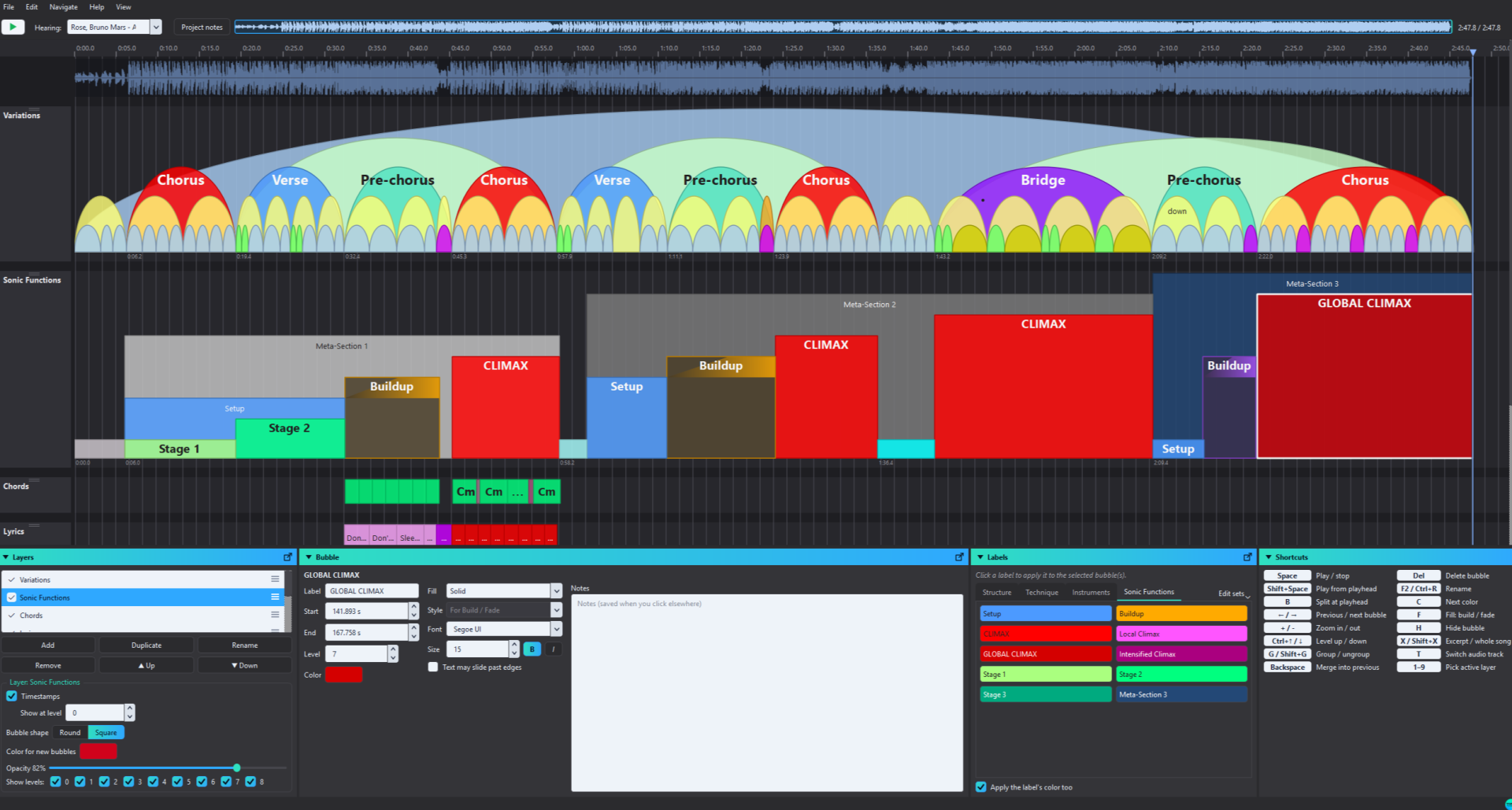
Get the free Top40 Theory Timeliner
Map any song as a bubble diagram of its sections, phrases and production. Free for Windows and Mac. Just create a free account to download.
Created with